
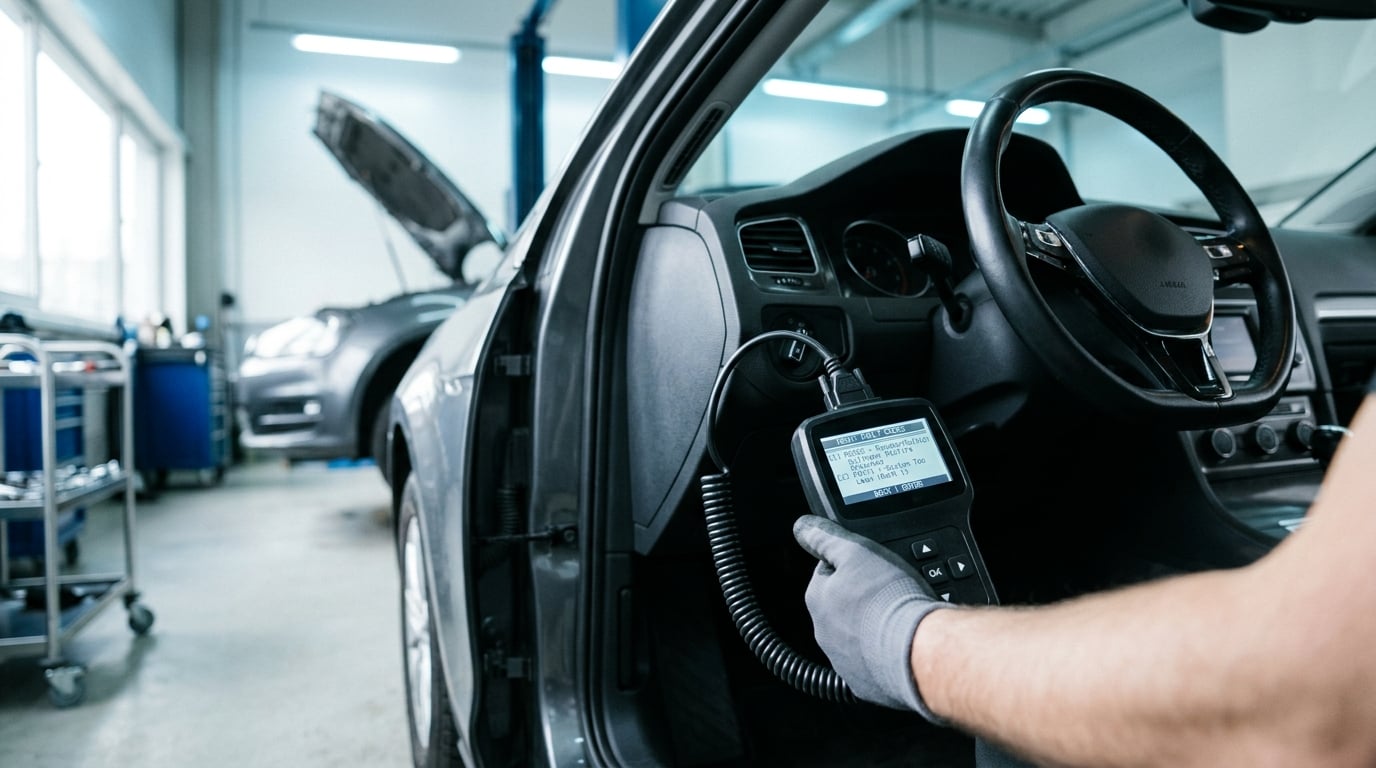
To read BMW fault codes with a scanner, plug an OBD2 reader into the 16-pin port under the dashboard, turn the ignition on or start the engine, and run a full scan. The reader pulls stored, pending and permanent codes from the engine, transmission, ABS and body modules in about two minutes.
That part is easy. The part most people get wrong comes next: assuming the code tells you which part to buy. A code tells you which circuit or system complained, not which component failed.
Last updated for October 2026. If your check engine light is on, this guide takes about 15 minutes to read and an hour to do properly.
What You Need
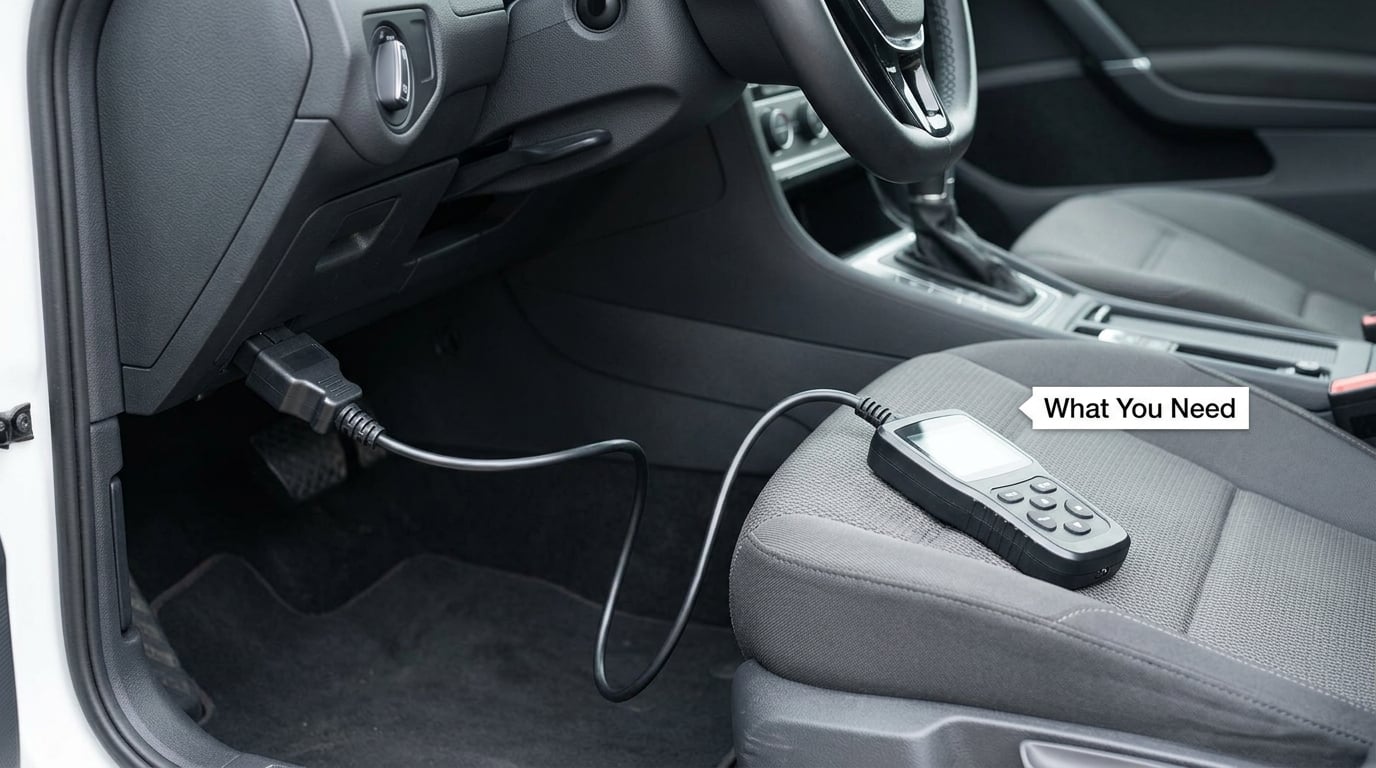
You need three things: a scanner, a prepared car, and your BMW’s service information. The scanner choice matters less than most forum posts suggest, as long as it matches the OBD standard your car uses.
Basic code reader, scan tool, or BMW-specific software
A basic code reader does one job. It reads generic powertrain codes and clears them. That is enough for a check engine light on a 2006 325i and useless for an airbag light on the same car.
A scan tool does more. It reads body, ABS and transmission modules, shows live data, and often runs active tests and service resets. This is what most BMW owners actually want.
BMW-specific software sits at the top. It reads manufacturer-specific codes that generic tools ignore, runs bidirectional commands, and in some cases can code and adapt modules. Dealer-level tools add guided fault trees and wiring diagrams. They are not needed to read a code, only to shorten the hunt after you have one.
Check whether your BMW is OBD1 or OBD2
BMW switched from OBD1 to OBD2 partway through the E46 production run in 2001. A 16-pin OBD2 port will not fit an OBD1 car, and a generic OBD2 scanner will not read an OBD1 car.
Older cars from the E30, E36 and early E46 era use OBD1. Later E46, and everything through the E60, E90, F30 and G-series, uses OBD2. If your port is round and single or double-row rather than a trapezoid, you have an OBD1 car and need an OBD1 adapter or a tool that handles both.
Where the OBD port is on a BMW
On almost every BMW from the E46 onward the port sits under the dashboard on the driver’s side, near the steering column, often tucked against the side wall rather than facing straight at you. You may need to crouch and feel for the trapezoid cover with your fingers. On E30 and E36 cars the port is usually near the center console or under the ashtray area.
Prepare the car first
Park on level ground, engine off, key out of the ignition. A battery that is low will give you misleading results or no connection at all. If the engine has a cranky cold start, note the coolant temperature and whether the engine was cold when the light came on, because freeze frame data captures exactly that.
Keep your phone charged if you are using a Bluetooth adapter, and make sure the adapter is a genuine one. Counterfeit chipsets are the single most common reason a scanner shows garbage or drops the connection mid-scan.
Have your VIN handy. BMW-specific apps use it to pull the right vehicle profile and coding data.
Basic safety
A scanner is a read tool, not a dangerous one, but the same rules as any other electrical work apply. Do not work on wiring with the engine running, do not probe terminals you have not identified, and if you later go into the wiring harness itself, disconnect the battery and refit any terminal hardware to the manufacturer’s torque figures.
Step-by-Step
This is the workflow for how to read BMW fault codes with a scanner without guessing at parts, and it holds whether you own a fifteen-year-old E90 or a current-gen G20.
How to Read BMW Fault Codes with a Scanner
- Find the OBD port under the driver’s side dashboard and remove its cover.
- With the ignition off, plug the scanner cable in until it seats firmly.
- Turn the ignition to the on position, or start the engine if your scanner’s instructions call for it.
- Pair your Bluetooth or Wi-Fi adapter to the phone or tablet running the scanner app, if you are using one.
- Run a full vehicle scan rather than a single-module read.
- Open the code list and write down every code, including the module it came from.
- Note whether each code reads as stored, pending or permanent.
- Open the freeze frame data for the code you care about and record the conditions.
- Look up the code definition and start testing the circuit, not just the part named.
- Clear the codes only after you have tested or repaired, then verify with a rescan and a drive.
Steps one through six take about two minutes. Everything after that is the actual diagnosis, and it is where the real time goes.
If the scan comes back with nothing at all and you can see the check engine light glowing, that tells you something useful too. It usually means the light is being commanded by a module a generic scanner cannot reach, or a bulb is being powered by a different circuit. A full-system BMW tool is the next step.
How to Tell the Difference Between Stored, Pending, and Permanent Codes
Three statuses show up on most scanners, and the difference between them changes what you should do next.
A stored code means the fault happened, the drive cycle completed, and the module decided to light the lamp. This is the most serious of the three. A stored code is a confirmed failure, not a suspicion.
A pending code means the fault was seen once or twice but the module has not confirmed it yet. The lamp stays off. A pending code is early warning, and it tells you a problem is developing rather than that one is established.
A permanent code is one the module refuses to erase with a standard clear. It stays until the module sees the fault condition fail to reappear over several drive cycles, or until a dealer tool resets it. If a code will not stay cleared, the underlying condition is usually still there.
The action rule is simple. Investigate stored codes now. Watch pending codes. Treat permanent codes as stored codes with better evidence, because the module has already decided the fault is real.
One catch trips people up: clearing codes resets readiness monitors. Your BMW can then fail an emissions test for a drive cycle or two until those monitors run again, even with no fault present.
How to Interpret BMW-Specific and Generic Fault Codes
Every code starts with a letter that tells you which system raised it.
| Prefix | System | What it usually points to on a BMW |
|---|---|---|
| P | Powertrain | Engine, transmission, fuel system, emissions. The most common family. |
| B | Body | Climate control, lighting, central locking, seats, airbag circuit, instrument cluster. |
| C | Chassis | ABS, traction control, steering, suspension-related sensor circuits. |
| U | Network | Communication between modules. One module not talking to another is the usual cause. |
BMW adds manufacturer-specific codes on top of the SAE J2012 standard. A P-code beginning with 2 is often a BMW-specific powertrain code, and body and chassis modules on BMWs use their own numbering that generic readers may show as raw hex or not show at all. That is the gap that makes a cheap parts-store scan come back “no codes found” while the car is obviously unhappy.
Read a code as a sentence about a system, not a verdict about a part. A misfire code says the module saw an abnormal burn signal. The cause can be a spark plug, a coil, fuel pressure, an injector, a vacuum leak, or a cam timing issue. A lean code says the measured fuel trims are off target, which points at an air or fuel supply problem rather than a specific sensor.
On older BMWs, reading codes takes an entirely different route. E30 and E36 cars use a check engine light that blinks a pattern: long blinks count the digit, short blinks count the ones, and you read the group. E36 owners typically pull the diagnostic connector in the engine bay or the relay box, bridge two pins, and watch the light blink out the code. Several OBD1 tools still do this for you, which is faster and less error-prone than counting flashes by hand.
BMW forum threads repeat the same point: clear everything, drive a few miles, and scan again. Codes that were leftovers from a previous repair disappear, and only what is still happening remains. Forum advice is good advice here because the fault memory is cumulative and tells you about the car’s whole recent past, not just today.
How to Use Live Data and Basic Tests After Reading Codes
This is the step that separates a real fix from a parts cannon. Once you have a code, stop and confirm the fault before buying anything.
Read freeze frame first. Freeze frame captures the engine speed, load, coolant temperature, vehicle speed and fuel trim at the moment the fault was confirmed. A misfire code stored at 15 mph and 20 degrees coolant tells you something entirely different from the same code stored at highway speed on a warm engine. Most scanners show this in two taps.
Watch live data while you drive. Short-term and long-term fuel trim are the fastest read you can do. Values hovering near zero on both sides mean the mixture is where it should be. Large positive numbers on one bank and not the other point you down a specific side of the engine rather than a general fuel supply issue.
Use active tests where the tool offers them. A scan tool with bidirectional control can command a fuel pump relay on, sweep a gauge through its range, or cycle an actuator while you watch the live data. If the commanded action produces no visible change in the data, you have found the circuit, and everything downstream of it is a suspect.
Test the circuit, not the component. Check voltage, ground and continuity at the sensor connector before condemning a sensor. A failed ground on a shared circuit will light up codes for several unrelated components at once, and replacing them all changes nothing.
Live data also helps on leaks you cannot see. If an oil or coolant pressure warning is involved, how to find an oil leak with UV dye gives you a way to confirm the source rather than guessing at the gasket.
For most fault codes, two hours of live data and continuity testing replaces an afternoon of parts swapping. That is the whole game.
How to Clear BMW Fault Codes and Confirm the Repair
Clear a code when you have fixed the cause, or when you have proven the code is a leftover and want a clean baseline. Clearing without a diagnosis is not a repair, and it is the fastest way to end up back where you started with less information.
Once you clear, the module needs to see a complete drive cycle before it declares the fault gone: a proper cold start, a mix of city and highway driving with the engine reaching full operating temperature, and a repeat over several days. Most scanners can show your readiness monitor status, and the “not ready” indicators tell you the cycle has not finished yet.
Remember that permanent codes ignore a standard clear. If a code reappears immediately after clearing, the condition is still present. If it comes back after a week and a few hundred miles of ordinary driving, the root cause is intermittent and you were right not to trust a single scan.
Verify the repair the honest way: rescan with a full-system scan, confirm the code is gone, and check the readiness monitors are back to ready before an emissions test.
Common Mistakes
Replacing parts before testing. A code names a circuit. Ordering the part named in the code description first is how people end up with a box of sensors on the bench. Test power, ground, and the signal, then decide.
Treating a cleared code as a repaired fault. If you clear without fixing anything, the code returns, and now you have thrown away the freeze frame that told you the conditions when the fault occurred. The code is data. Clear it last.
Ignoring freeze frame data. It is the closest thing you get to a witness at the scene, and most people never open it.
Disconnecting the battery to reset a code. It works and it also resets radio codes, window limits, seat memory, adaptations, and on many BMWs it forces a battery registration that the car may not complete without a dealer tool. Use the clear function.
Running a single-module scan on a car with a body or chassis light. If the ABS light is on, a powertrain read is not going to find it. Full-system scan every time.
Using a counterfeit adapter. The cheap ones drop the connection during a full scan or return implausible codes. A genuine chipset is worth the difference, and the part of the process where it matters most is exactly the part you cannot diagnose.
Skipping the verification drive. Some faults need 200 miles and two cold starts before they reappear. Without the drive, you will call a repair that never happened.
Ignoring the rest of the car while chasing one code. Unrelated codes in other modules often share a common cause: low battery voltage, a bad ground, or a module that stopped talking to the network. When a U-code shows up, check battery condition and grounds before anything else.
One safety note that gets missed on BMWs specifically. A check engine light with a flashing lamp means an active misfire that can destroy catalytic converters in minutes. Stop driving and diagnose it rather than finishing the trip.
While you are working on warning lights and fluid condition, it is a good moment to check the rest of the fluids too. How to test brake fluid with a moisture tester takes a few minutes and tells you more than a visual check ever will.
Frequently Asked Questions
Do you need a special code reader for a BMW?
Not for reading engine codes. A generic OBD2 reader handles powertrain codes on any OBD2 BMW from 2001 onward. You do want BMW-specific capability when the light is an ABS, airbag, body or check-engine indicator, because a generic tool may never query those modules. Pick a tool that reads all modules rather than a branded one.
Can a parts store scanner read BMW diagnostic codes?
Usually, but only the powertrain codes. Most free parts-store scans run a standard OBD2 read, so they will show your P-codes and nothing from the ABS, airbag or body modules. A clean result there does not mean the car is clean. If the lamp on your dash is not the check engine light, the answer is almost always no.
Where is the OBD port on a BMW?
On most BMWs it is under the dashboard on the driver’s side, close to the steering column, with a small cover you may have to feel for in low light. On E30 and E36 cars it is usually nearer the center console or in the engine bay. The OBD2 port is the trapezoid shape with 16 pins. If yours is round, you have an older car and need OBD1 hardware.
Why do BMW codes come back after clearing them?
Because the condition that set the code is still there, or because the car has not finished enough drive cycles to confirm the fix. If a code returns within a few miles, the fault is active right now. If it returns after a week of normal driving, the fault is intermittent. Either way, the answer is to test the circuit, not to clear harder.
What is the difference between a code reader and a scan tool?
A code reader pulls stored codes and erases them, then stops. A scan tool reads every module, shows live data and freeze frames, runs active tests, and can perform service resets and coding. On a BMW the difference is the difference between seeing a check engine code and understanding an ABS or body fault.
How do I read fault codes on an E30, E36 or early E46?
These cars use OBD1, not the 16-pin OBD2 port. The original method bridges two pins in the diagnostic connector and makes the check engine light blink out a pattern, with long flashes for the tens digit and short flashes for the ones. An OBD1 adapter or a tool that supports both standards reads the same code for you without the counting.
Conclusion
Read the code first, and treat it as a starting point rather than a verdict. Write down every code, the module it came from, whether it is stored, pending or permanent, and the freeze frame conditions.
Then test the circuit the code points at. Check power and ground, watch live data while the fault is happening, and only then decide whether a component has failed.
Clear the codes last, drive the car hard enough and long enough to complete a drive cycle, and rescan to confirm the fault stays away. If the fault is in a module a generic scanner cannot reach, that is the point to consider a full-system tool or a shop visit, not before.
When you do end up under the car working on the fix, getting the fasteners right matters as much as the diagnosis. How to read a torque spec chart is worth a few minutes of your time before you start.